


Imagine if one app could change how your child with autism talks to the world. For many families, technology is key to connecting with their children. It helps break down barriers between silence and understanding.
Technology has changed parenting a lot. Parents use apps to track everything from pregnancy to their kids’ screen time. They also find free learning resources and language apps for family fun.
For families with special needs kids, technology offers hope. Autism apps have grown from simple pictures to advanced tools. These tools help nonverbal children speak up. They range from free to professional-grade, opening new ways for kids to communicate.
Finding the right tech for your child is the first step. Some kids do well with visual aids, while others need voice output. The goal is to find the right mix of tech and natural communication.
Parenting a child with unique developmental or learning needs can feel overwhelming, but informed guidance can make the journey more empowering. The Parenting & Family section provides practical strategies for communication, behavioural support, emotional connection, and building a calm home environment. Parents can explore related insights in the Special Needs Awareness category to better identify early signs and understand underlying needs. For clarity about developmental progress, the Developmental Milestones resources offer age-specific benchmarks that help caregivers set realistic expectations. When learning challenges arise, the Learning Disabilities category provides targeted support strategies for school and homework. For emotional wellbeing—both for children and parents—PsyForU.com offers mental-health tools rooted in psychology. Those wanting to build stronger routines, reduce stress, or cultivate intentional family habits can enhance their journey with guidance from IntentMerchant.com. These connected platforms ensure that parents never feel alone and always have trusted support at every step.
Key Takeaways
- Technology plays many roles in family life, from scheduling to education.
- Autism apps are vital for nonverbal kids to express themselves.
- Assistive tech ranges from free to professional, meeting different needs.
- Communication aids go beyond traditional therapy, opening new ways to express.
- Success depends on matching tech to each child’s needs and abilities.
- Finding a balance between tech and natural communication is key.
Understanding Autism Communication Apps and Their Benefits
Digital technology has changed how kids with autism talk and connect. Special apps turn tablets and phones into personal communication tools. They use pictures, custom designs, and voices to meet each child’s needs.
How AAC Apps Support Nonverbal Children
Apps help kids who can’t talk by using pictures and voices. They let kids say things like “I’m hungry” or “I want to play.” This makes them feel understood and less frustrated.
Speech therapists see more fun in therapy with these apps. Kids want to use them more than old methods. It makes learning to talk more exciting.
Building Communication Bridges Through Technology
Today’s apps help kids connect their thoughts to words. Parents see big moments when kids ask for food or share feelings. These apps grow with the child, getting more complex as they learn.

Evidence-Based Benefits for Language Development
Studies show apps really help kids talk better. They find:
- More words learned
- Better social skills
- Fewer behavior problems
- Kids can do more on their own
- They do better in school
| Communication Area | Average Improvement After 6 Months | Key App Features Used |
|---|---|---|
| Vocabulary Size | 45% increase | Symbol libraries, word prediction |
| Social Requests | 60% more frequent | Quick phrases, social scripts |
| Emotional Expression | 75% clearer communication | Emotion cards, feeling scales |
Essential Features of Assistive Communication Technology
Modern assistive communication technology changes how kids talk through new features. These tools use pictures, sounds, and personal content for better communication. Parents and therapists see great results when apps meet specific needs and goals.
Visual Communication Tools and Picture Exchange Systems
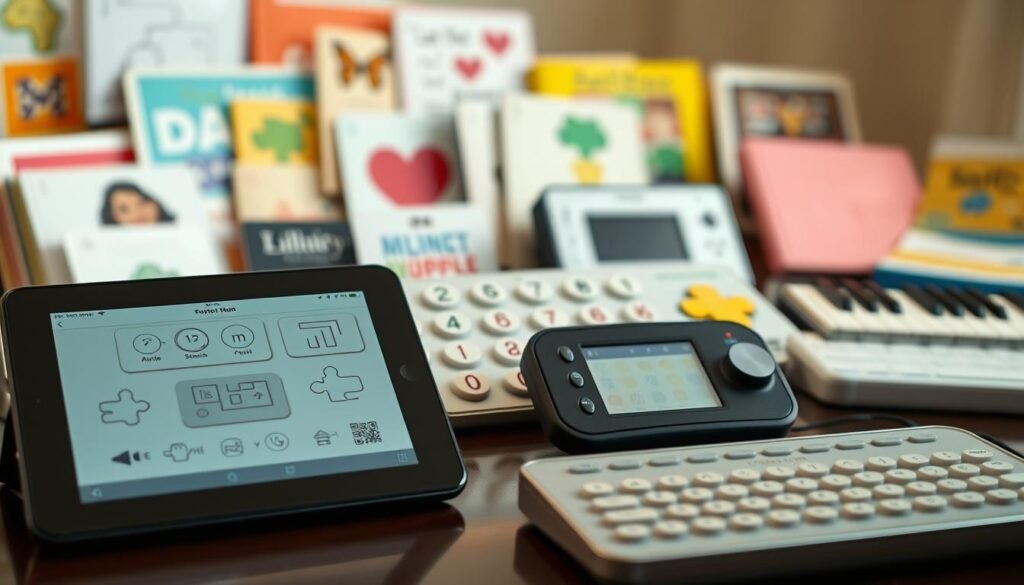
Picture-based systems are key in many apps. Kids pick images for words, feelings, or ideas to make messages. Apps like Proloquo2Go and LAMP Words for Life use bright symbols for clear messages.
Customizable Vocabulary and Symbol Libraries
Apps let you pick words and symbols that fit your child’s needs. They have thousands of symbols for:
- Daily activities and routines
- Food preferences and dietary needs
- Emotional states and feelings
- Academic subjects and classroom items
- Family members and familiar places
Parents can add personal photos for a custom set. This makes learning more fun and effective.
Voice Output and Speech Generation Capabilities
Apps offer sounds to match pictures. Many use real voices or synthesized speech. Kids hear their choices spoken, helping them connect symbols with words.
Features like word prediction and grammar help build sentences. This makes communication clearer and more complete.
Top AAC Apps for Nonverbal Autism
Parents looking for aac apps for nonverbal children have many options today. The right app can change how kids with autism talk. Top apps use pictures, can be changed to fit each child, and are based on science to help them talk better.
Proloquo2Go is a big help with over 10,000 symbols and sounds like real people. It works for kids just starting to talk and those who are more advanced. TouchChat is great for words, with options to make it fit how kids talk and interact.
LAMP Words for Life keeps symbols in the same place. This helps kids learn to talk faster. Autism speech therapy apps like Speech Blubs use videos and games to teach talking skills.
GoTalk NOW lets kids talk about things they know, like their room or school. Avaz AAC mixes pictures and words, with games to help kids learn and practice.
Every autism communication app has its own benefits. Families should think about what their child needs and how they learn best. Many apps let you try them out before you buy.
Choosing Between Affordable vs Premium Apps
Parents have to decide between different autism support apps for their kids. There are many options, from free apps to ones that cost a lot. It’s important to know the differences to find the right app for your child’s needs.
Free AAC Solutions Worth Trying
There are great free AAC solutions for starting communication. Cboard is a standout because it’s open-source and works offline. It lets you customize boards and is reliable for everyday use.
Let Me Talk is another good choice. It offers picture communication without ads or extra costs. It has over 9,000 images and is easy to use for beginners.
When to Invest in Professional-Grade Apps
When kids need more advanced features, it’s time for premium apps. Apps like Proloquo2Go and TouchChat HD cost between $150 and $300. They have lots of symbols and help with grammar.
When to buy depends on several things:
- Child’s current skills
- School needs for AAC
- Need for detailed reports
- Need for apps to work on different devices
Comparing Features and Long-Term Value
Choosing between free and premium apps needs careful thought. Free apps are good for starting out. Premium apps offer more features and support, but cost more. Think about your child’s future needs and your budget when deciding.
Speech Therapy Apps for Autism Development
Technology is changing how kids with autism learn to talk. Speech therapy apps mix proven methods with fun digital games. They help kids practice at home and school, making learning fun.
Interactive Language Learning Games
Speech Blubs is a top app for learning language. It uses real kids to show sounds and words. This makes learning feel like play, not work.
Splingo focuses on listening and following directions. It uses colorful characters and games to help kids understand spoken words. These apps make learning fun by mixing therapy with entertainment.
Apps That Target Specific Speech Goals
Articulation Station helps with phoneme practice. Kids start with flashcards and move to games and sentences. Each step builds on the last, keeping it challenging but not too hard.
Many apps let you set goals and adjust levels. Parents and therapists can tailor learning to fit each child’s needs. This makes sure kids work on what’s most important for them.
Tracking Progress and Milestones
These apps have analytics to track progress. They show how well kids are doing and what they need to work on. Visual charts help celebrate successes and find areas for more practice.
Picture Exchange Communication System Apps
Digital picture exchange communication system technology changes the way we communicate. It turns old card-based methods into fun, interactive experiences. These apps use touchscreens to make communication easier and more engaging for kids with autism.
These apps have a simple drag-and-drop feature. Kids pick images from libraries and arrange them to make requests or comments. This makes it easy for them to move from using physical cards to digital ones.
Apps like Proloquo2Go and LAMP Words for Life offer special PECS modes. They follow six phases to help kids learn to communicate:
- Physical exchange training
- Distance and persistence development
- Picture discrimination skills
- Sentence structure building
- Responsive requesting abilities
- Spontaneous commenting practice
These apps give feedback when kids communicate well. They use animations, sounds, or videos to celebrate. This feedback helps kids keep practicing and gets their brains ready for more communication.
These tools do more than just help kids communicate. They also show daily routines with pictures, making transitions easier. And, they let therapists and parents print out cards for places without devices. This way, kids can always communicate, no matter where they are.
Integrating Apps Into Daily Routines
Integrating apps into daily routines needs careful planning. Kids with autism do well with routine and structure. Apps work best when they’re part of daily life.
Parents find that introducing apps slowly helps. This makes kids see them as helpful, not a burden.
Morning and Evening Communication Strategies
Using visual schedule apps in the morning makes mornings easier. Kids can pick what they want for breakfast by tapping pictures. Choosing clothes becomes fun with apps showing the right outfits for the weather.
Apps help with brushing teeth by showing each step. This makes hygiene tasks clearer for kids.
Evening routines are calmer with apps. Kids can say they’re tired or want a story. Apps with moon phases and soothing colors help kids wind down.
Using Apps During Mealtime and Play
Apps make mealtime better by letting kids choose what they want. They can ask for seconds or try new foods. Families use apps with real photos of meals.
Playtime gets better with apps that help with social skills. Kids can learn to take turns and share. Apps like Proloquo2Go and LAMP Words for Life make playtime more fun.
School and Home Coordination Tips
Using the same words at home and school helps kids. Teachers and parents share boards online. This makes it easy to keep track of progress.
Many schools use the same apps as families. This keeps communication smooth all day long.
Social Skills Apps for Autism Support
Social skills can be tough for kids with autism. But, technology has found new ways to help. Social skills apps for autism offer safe spaces for kids to learn. They can practice talking, recognizing feelings, and understanding social hints at their own speed.
Apps like Model Me Going Places teach kids through video. They watch as peers handle places like restaurants and playgrounds. This helps kids learn what to do and how to act in real life.
Apps also help with recognizing emotions. They use real faces to teach kids about different feelings. Kids play games and quizzes to match emotions with situations. This builds their emotional knowledge and empathy.
Role-playing in these apps is super helpful. Kids can practice:
- Starting and ending conversations right
- Taking turns in talks
- Answering greetings and questions
- Fixing conflicts without fighting
- Keeping friendships strong
Social Stories Creator is special. It lets parents and teachers make stories for specific challenges. For example, a story for a birthday party can teach expected actions. This makes social skills apps for autism great for meeting individual needs.
Using Tech Without Over-Reliance
Technology is a big help for kids with autism, but finding the right balance is key. Apps can be very useful, but we must not let devices be the only way to talk. A good mix of digital tools and real-life talks helps kids connect and grow.
Balancing Screen Time with Real-World Interaction
Studies show an 80/20 rule works well – 80% of talking practice should be face-to-face, and 20% with apps. Parents can set times when devices are off, like during breakfast. This is a chance to practice gestures and eye contact without screens.
Apps like Bark help keep an eye on how much time kids spend on devices. They can set limits to stop too much screen time.
Encouraging Natural Communication Alongside Apps
Every day, there are chances to practice talking naturally. At bath time, kids can ask for bubbles or toys with gestures. Snack time is a chance to practice saying what they want to eat.
Communication aids for special needs work best when they help, not replace, real talks. Parents can use apps to teach new words, then practice them without screens.
Setting Healthy Boundaries with Technology
Setting clear rules helps kids know when to use devices and when to talk face-to-face. Families can make visual schedules for tech time and real-life activities. Slowly reducing app use as kids get better at talking is a good strategy.
This way, technology helps but doesn’t hold kids back from developing their communication skills.
Augmentative Communication Devices vs Mobile Apps
Parents have to make a big decision when picking assistive communication tech for their kids. They must choose between special devices and tablet apps. Each option has its own benefits, fitting different needs and situations.
Dedicated AAC Devices Pros and Cons
Devices like NovaChat and Accent series are made for communication. They cost between $6,000 and $8,000 but might be covered by insurance. They last long in school and have batteries that last all day.
These devices also come with training and support. This makes them a solid choice for many families.
Tablet-Based Solutions for Flexibility
iPads and Android tablets with AAC apps are cheaper and versatile. They cost between $500 and $1,000, including cases. They’re good for more than just talking, with apps for learning and fun.
They’re easy to carry and have a familiar look for kids. This makes them a great option for many families.
| Feature | Dedicated Devices | Tablet Solutions |
|---|---|---|
| Cost Range | $6,000-$8,000 | $500-$1,000 |
| Insurance Coverage | Often Eligible | Rarely Covered |
| Battery Life | 12-15 hours | 8-10 hours |
| Multi-Purpose Use | Communication Only | Apps, Games, Education |
Making the Right Choice for Your Child
Think about your child’s needs and where they’ll use the tech. Schools often prefer special devices for their classrooms. But, tablets are great for home and outings.
Insurance or school help might decide for you. The best choice helps your child communicate everywhere.
Communication Aids for Special Needs Beyond Autism
Assistive technology helps more than just kids with autism. It also aids those with cerebral palsy, Down syndrome, apraxia of speech, and brain injuries. These tools are key for many special needs.
AAC apps for nonverbal kids come with special access methods. Kids with limited movement use switch scanning or eye gaze systems. These systems let them communicate without moving their hands.
These tools are designed to be easy for everyone to use. Apps like Proloquo2Go and TouchChat have simple interfaces. They also have different vocabulary levels to match each child’s growth.
Features like vibration and audio cues help kids with various disabilities. High-contrast displays and adjustable text sizes also help. These features make sure everyone can use these tools, no matter their disability.
Getting Started with Visual Communication Tools
Starting with visual communication tools helps children with autism connect better. Parents might wonder how to begin. The answer is to pick simple ideas that match a child’s daily life and interests.
This foundation is key for successful communication. It’s all about choosing the right autism communication apps.
Creating First Communication Boards
Begin with communication boards that cover basic needs. Include “more,” “help,” “eat,” “drink,” and “all done.” Use photos of your child’s favorite things, like their cup or toys.
Start with four to six options on the first board. Place these tools where your child looks during play. For example, a kitchen board might have food pictures, and a playroom board might have toy images.
Teaching Cause and Effect Through Apps
Single-button apps teach cause and effect. Apps like Sensory Light Box or Baby’s Musical Hands show instant results. This helps kids see how their actions affect things.
Move to two-choice scenarios as skills grow. Many apps let you adjust settings for different abilities. Every touch is a chance to celebrate communication.
Building Vocabulary Step by Step
Start with concrete words like “ball” or “cookie.” Add descriptive words like “big” or “hot” later. Action words come next as kids want to do more.
Add new words weekly, not daily. This keeps things manageable. See which words are used often and drop the ones that aren’t.
Speech Delay Apps for Early Intervention
Early intervention changes a child’s communication journey. Speech delay apps now play a key role, starting from 18 months. These apps focus on pre-linguistic skills like joint attention and sound play. They are the base of language.
Today’s language apps do more than games. Apps like Speech Blubs offer structured activities with animations and songs. Parents get videos on how to practice at home. This mix of app exercises and traditional therapy speeds up progress.
Interactive features keep toddlers engaged while working on critical skills:
- First words stimulation through repetitive sound patterns
- Oral motor exercises disguised as fun activities
- Receptive language games that build understanding
- Milestone tracking to identify areas needing professional evaluation
- Reward systems that motivate continued practice
Research shows tech-based early intervention works. Kids who start with speech delay apps before three see big improvements. It’s important to pick apps that fit your child’s stage and offer challenges.
These tools help keep up consistent practice. Daily 10-15 minute sessions help create neural pathways for language. Parents can track progress and share it with speech therapists for better care.
Monitoring Progress with Autism Support Apps
Modern autism support apps change how we track growth. They offer clear data on communication, replacing guesses with facts. Parents see their child’s progress through daily interactions and learning patterns.
Data Collection and Analysis Features
Today’s apps track every communication attempt and success. Apps like Proloquo2Go log vocabulary use, showing which words are favorites. They collect data on:
- Time stamps for each communication exchange
- Frequency of specific word or symbol use
- Error patterns and self-corrections
- Response times between prompts and actions
Real-time dashboards show this data in graphs and charts. Parents can see when their child learns best.
Sharing Reports with Therapists and Teachers
Cloud storage makes sharing easy between home and school. Weekly reports summarize progress and highlight needs. Speech therapists get detailed plans for sessions.
Teachers also get the same data to keep learning consistent. This ensures everyone works towards the same goals.
Adjusting Strategies Based on App Insights
Decisions are based on data, not guesses. Analytics uncover patterns not seen before. If a child does better in the afternoon, therapy times can change.
When certain words are hard to learn, plans focus on those areas. This helps in supporting the child better.
Assistive Technology for Autism in Different Settings
Using assistive technology for autism needs careful planning in many places. Each place has its own challenges and chances for better communication. It’s important to adjust devices and strategies for home, community, and school. This way, communication stays consistent everywhere.
Home Environment Adaptations
Start making your home autism-friendly by placing devices where kids can reach them. Use tablets in the kitchen, bedroom, and living room. Make sure there are charging spots so devices stay charged all day.
Set up special communication zones where kids can use their devices without distractions. Visual schedules on smart displays or tablets help kids follow daily routines on their own. Apps like Proloquo2Go and TouchChat work well when used during family activities.
Parents find success by using AAC devices during meals, bedtime, and play. This helps kids practice using their devices in real-life situations.
Community and Public Space Communication
Before going out, program your device with words for places you’ll visit. Add names of products and requests for stores like Target or Walmart. At restaurants, make menu items and food preferences easy to find.
In public, keep the volume low and have emergency phrases ready. Teach kids how to safely talk to strangers. Use GPS apps like Our Family Wizard to stay safe during outings.
Educational Settings and IEP Integration
For school success, include communication goals in the IEP. Make sure to outline AAC objectives, when to start, and how to track progress. Teachers need to know how to use the child’s assistive technology.
| IEP Component | Technology Integration | Monitoring Method |
|---|---|---|
| Communication Goals | AAC device usage targets | Weekly data sheets |
| Academic Support | Subject-specific vocabulary | Monthly assessments |
| Social Objectives | Peer interaction apps | Observation logs |
| Behavioral Strategies | Self-regulation tools | Daily reports |
In the classroom, use device stands and backup boards. Have peer support systems too. Hold regular meetings to keep everyone on the same page. Use app analytics to track progress and make IEP changes.
Conclusion
Autism communication apps have changed the lives of nonverbal and minimally verbal people. They open doors that were once shut. Now, kids can share complex thoughts through pictures and sounds.
Parents see their children’s true selves in ways they never thought possible. This is thanks to these amazing tools.
Success with AAC apps depends on a few important things. Families must pick the right apps for their child. They need to practice regularly in different places.
Schools, homes, and therapy centers must work together. The best results come when everyone uses the same methods.
These apps do more than just help with communication. They reduce meltdowns by letting kids express themselves early. Social connections grow stronger as friends learn to use these systems together.
Academic success also improves when students can show what they know without speaking. These changes make a big difference in daily life.
The future of communication tech looks bright. New tech, like artificial intelligence, will make things even better. Voice synthesis will sound more natural, and tools will work together across devices.
These advancements mean everyone, no matter their speaking skills, can be heard and understood. The future is exciting for communication technology.
FAQ
What are the best AAC apps for nonverbal children with autism?
Top AAC apps include Proloquo2Go with over 10,000 symbols and natural voices. TouchChat offers word-based pages. LAMP Words for Life focuses on motor planning.
FAQ
What are the best AAC apps for nonverbal children with autism?
Top AAC apps include Proloquo2Go with over 10,000 symbols and natural voices. TouchChat offers word-based pages. LAMP Words for Life focuses on motor planning.
How do picture exchange apps work for autism communication?
FAQ
What are the best AAC apps for nonverbal children with autism?
Top AAC apps include Proloquo2Go with over 10,000 symbols and natural voices. TouchChat offers word-based pages. LAMP Words for Life focuses on motor planning.
FAQ
What are the best AAC apps for nonverbal children with autism?
Top AAC apps include Proloquo2Go with over 10,000 symbols and natural voices. TouchChat offers word-based pages. LAMP Words for Life focuses on motor planning.
What’s the difference between dedicated AAC devices and tablet-based solutions?
FAQ
What are the best AAC apps for nonverbal children with autism?
Top AAC apps include Proloquo2Go with over 10,000 symbols and natural voices. TouchChat offers word-based pages. LAMP Words for Life focuses on motor planning.
FAQ
What are the best AAC apps for nonverbal children with autism?
Top AAC apps include Proloquo2Go with over 10,000 symbols and natural voices. TouchChat offers word-based pages. LAMP Words for Life focuses on motor planning.
How can speech therapy apps help children with autism develop language skills?
FAQ
What are the best AAC apps for nonverbal children with autism?
Top AAC apps include Proloquo2Go with over 10,000 symbols and natural voices. TouchChat offers word-based pages. LAMP Words for Life focuses on motor planning.
FAQ
What are the best AAC apps for nonverbal children with autism?
Top AAC apps include Proloquo2Go with over 10,000 symbols and natural voices. TouchChat offers word-based pages. LAMP Words for Life focuses on motor planning.
What are effective strategies for integrating communication apps into daily routines?
FAQ
What are the best AAC apps for nonverbal children with autism?
Top AAC apps include Proloquo2Go with over 10,000 symbols and natural voices. TouchChat offers word-based pages. LAMP Words for Life focuses on motor planning.
FAQ
What are the best AAC apps for nonverbal children with autism?
Top AAC apps include Proloquo2Go with over 10,000 symbols and natural voices. TouchChat offers word-based pages. LAMP Words for Life focuses on motor planning.
How do I choose between affordable and premium autism communication apps?
FAQ
What are the best AAC apps for nonverbal children with autism?
Top AAC apps include Proloquo2Go with over 10,000 symbols and natural voices. TouchChat offers word-based pages. LAMP Words for Life focuses on motor planning.
FAQ
What are the best AAC apps for nonverbal children with autism?
Top AAC apps include Proloquo2Go with over 10,000 symbols and natural voices. TouchChat offers word-based pages. LAMP Words for Life focuses on motor planning.
Can autism support apps help with social skills development?
FAQ
What are the best AAC apps for nonverbal children with autism?
Top AAC apps include Proloquo2Go with over 10,000 symbols and natural voices. TouchChat offers word-based pages. LAMP Words for Life focuses on motor planning.
FAQ
What are the best AAC apps for nonverbal children with autism?
Top AAC apps include Proloquo2Go with over 10,000 symbols and natural voices. TouchChat offers word-based pages. LAMP Words for Life focuses on motor planning.
How can I prevent over-reliance on communication technology?
FAQ
What are the best AAC apps for nonverbal children with autism?
Top AAC apps include Proloquo2Go with over 10,000 symbols and natural voices. TouchChat offers word-based pages. LAMP Words for Life focuses on motor planning.
FAQ
What are the best AAC apps for nonverbal children with autism?
Top AAC apps include Proloquo2Go with over 10,000 symbols and natural voices. TouchChat offers word-based pages. LAMP Words for Life focuses on motor planning.
What assistive communication technology works for special needs beyond autism?
FAQ
What are the best AAC apps for nonverbal children with autism?
Top AAC apps include Proloquo2Go with over 10,000 symbols and natural voices. TouchChat offers word-based pages. LAMP Words for Life focuses on motor planning.
FAQ
What are the best AAC apps for nonverbal children with autism?
Top AAC apps include Proloquo2Go with over 10,000 symbols and natural voices. TouchChat offers word-based pages. LAMP Words for Life focuses on motor planning.
How early can I start using language development apps with my child?
FAQ
What are the best AAC apps for nonverbal children with autism?
Top AAC apps include Proloquo2Go with over 10,000 symbols and natural voices. TouchChat offers word-based pages. LAMP Words for Life focuses on motor planning.
FAQ
What are the best AAC apps for nonverbal children with autism?
Top AAC apps include Proloquo2Go with over 10,000 symbols and natural voices. TouchChat offers word-based pages. LAMP Words for Life focuses on motor planning.