

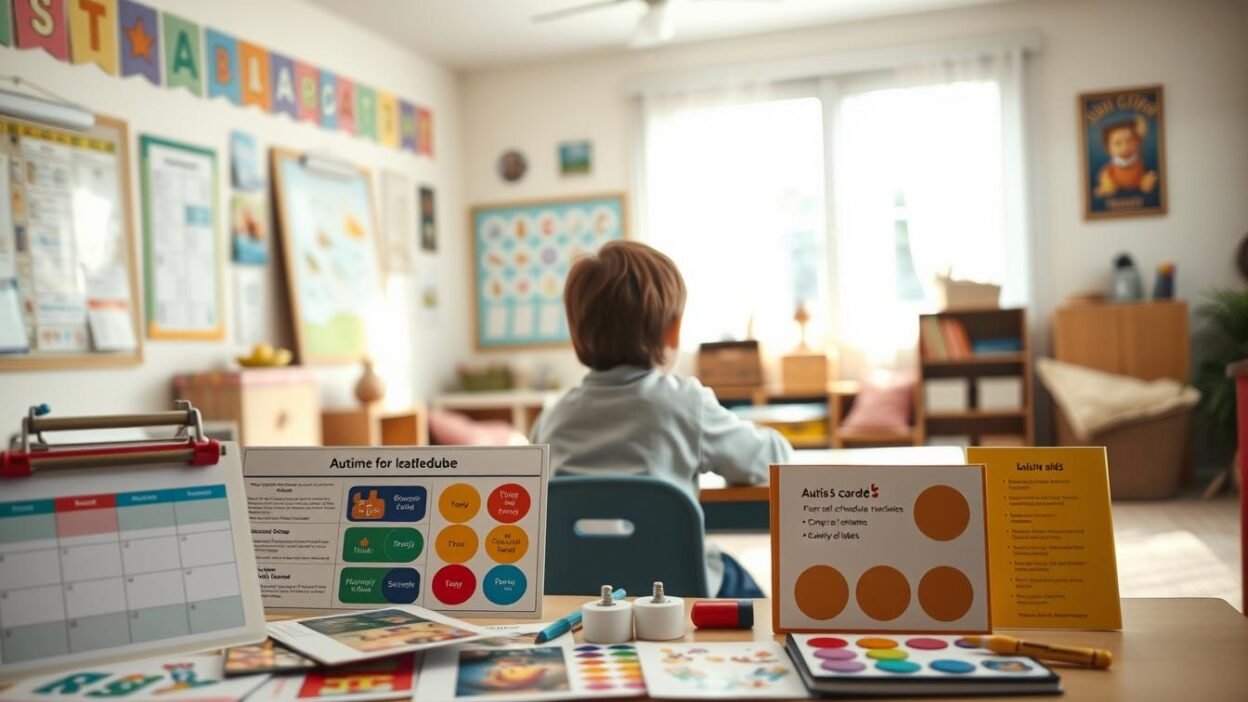
Imagine the morning rush in many American homes. Parents rush to make breakfast while kids try to remember their tasks. For families with autism, this can lead to tears and frustration. Sarah Martinez from Austin, Texas, found a solution in visual schedules.
Her eight-year-old son, who used to get upset during changes, now follows a picture chart easily. This shows how visual aids can change mornings from chaotic to calm.
Visual aids do more than help with daily routines. Research shows they make learning better by combining pictures and words. People remember 65% of information when it’s both visual and verbal. For kids with autism, pictures help them understand better than words alone.
Visual tools make complex ideas simple and easy to handle. They help kids feel more in control and less anxious. From simple pictures to digital systems, these tools are key for effective communication.
Starting to use visual aids can change how we learn and live. They help kids at school and adults at work. The next parts will show how to use these aids in everyday life.
Parenting a child with unique developmental or learning needs can feel overwhelming, but informed guidance can make the journey more empowering. The Parenting & Family section provides practical strategies for communication, behavioural support, emotional connection, and building a calm home environment. Parents can explore related insights in the Special Needs Awareness category to better identify early signs and understand underlying needs. For clarity about developmental progress, the Developmental Milestones resources offer age-specific benchmarks that help caregivers set realistic expectations. When learning challenges arise, the Learning Disabilities category provides targeted support strategies for school and homework. For emotional wellbeing—both for children and parents—PsyForU.com offers mental-health tools rooted in psychology. Those wanting to build stronger routines, reduce stress, or cultivate intentional family habits can enhance their journey with guidance from IntentMerchant.com. These connected platforms ensure that parents never feel alone and always have trusted support at every step.
Key Takeaways
- Visual aids increase information retention from 10% to 65% when combined with verbal instruction
- Autism visual supports reduce anxiety and improve daily routine management
- Picture schedules create predictable structures that foster independence
- Visual tools bridge communication gaps for individuals across the autism spectrum
- Structured visual planning autism strategies work in home, school, and community settings
- Simple visual supports can transform challenging transitions into smooth experiences
Understanding Visual Aids for Autism Support
Visual supports are key in autism care. They turn complex ideas into simple pictures that everyone can get. This helps kids with autism understand better and feel more secure.
Research shows that people with autism often do well with visual information. This makes using pictures and symbols a great way to help them.
What Are Visual Supports in Autism Care
Visual supports are pictures, objects, or symbols that help share information. They can be photos, drawings, words, or actual items. These tools help kids with autism know what to do next.
Examples include picture cards for daily tasks and big communication boards. These boards show the whole day’s plan.
Benefits of Visual Communication for ASD
Visual communication has many benefits for those with autism. It helps them feel more in control and less anxious. It also makes learning easier and helps them make friends.
- Reduces anxiety by providing predictable structure
- Decreases behavioral challenges through clear expectations
- Supports language development and comprehension
- Promotes independence in daily activities
- Enhances social interaction opportunities
How Visual Tools Enhance Learning and Memory
Visual cues work differently in the brain than just hearing things. Studies show that using pictures and words together boosts memory by 65%. This helps kids remember better and learn faster.
Visual Schedules Autism: Essential Planning Tools
Visual schedules change daily life for kids on the autism spectrum. They bring structure and predictability, reducing anxiety and boosting independence. Picture schedules and charts break down big routines into smaller steps, making each day simpler.
Creating Effective Daily Routine Charts
Good daily routine charts have a few key features. Keep them simple with five items or less per page. This avoids info overload and keeps focus sharp. Use clear images and simple text for visual timetables asd.
Start with morning routines: wake up, brush teeth, eat breakfast, get dressed, pack backpack. Each task gets its own picture card. Kids move cards to a “finished” section, feeling a sense of achievement.

Picture Schedules for Autistic Children
Picture schedules for autistic kids come in many forms. Some like photos of real things and places. Others prefer simple drawings or symbols. It’s all about matching the visual style to each child’s understanding.
Effective picture schedules include:
- First-then boards for immediate tasks
- Half-day schedules for morning or afternoon routines
- Full-day charts for complete daily structure
- Activity-specific sequences for complex tasks
Digital vs Physical Visual Timetables
Digital and physical visual timetables asd have their own benefits. Physical boards offer hands-on interaction. Kids move cards, engaging their senses. Digital options are flexible and portable. Tablets can hold many schedules, great for different places.
PECS Autism Communication System
The Picture Exchange Communication System (PECS) changes how kids with autism talk. It uses pictures to help them start conversations. This helps them learn to talk better.
PECS starts with simple picture exchanges. It then moves to more complex ways of talking.
Getting Started with Picture Exchange
Starting PECS needs careful planning and practice. The first step is teaching kids to exchange pictures for things they want. They learn to pick up a picture, hand it to someone, and get what they want.
Building PECS Schedules for Independence
PECS schedules make daily life predictable. They help kids feel sure of what to do next. Making good schedules means picking clear pictures, putting them in order, and keeping them easy to see.
| Schedule Component | Visual Elements | Independence Goal |
|---|---|---|
| Morning Routine | Bathroom, breakfast, clothing icons | Self-directed morning preparation |
| School Activities | Subject symbols, break cards | Classroom navigation without prompts |
| Home Tasks | Chore pictures, completion markers | Independent task completion |
Transitioning from PECS to Advanced Communication
Going from simple pictures to sentences is a big step. Kids start making phrases like “I want”. Then, they learn to talk more.
Some kids use speech devices or start talking out loud. They keep using pictures as a help.
Designing Visual Cues for Autistic Children
Creating visual cues for autistic kids needs careful design. It’s all about making things clear and useful. Each part should help with learning and daily tasks.
Good autism visual tools follow some rules. Use black text on white or white on dark for best reading. Simple images are better than complex ones. Text should be big enough to see from far away, using fonts like Arial or Helvetica in 18 points or bigger.
Visual design elements that make things better include:
- Single images per card or page to prevent overwhelm
- Consistent color coding for different activities or areas
- Clear borders around each visual element
- Real photographs paired with simple symbols
- Minimal text with concrete language
Teaching kids to be independent with visuals works better when design helps them understand. Tools like Canva, Boardmaker, and PicMonkey make professional-looking materials. They offer templates for special education needs.
| Design Element | Best Practice | Common Mistake |
|---|---|---|
| Background | Plain white or light solid color | Busy patterns or multiple colors |
| Image Size | Takes up 70% of card space | Small images with excess white space |
| Font Choice | Sans-serif, consistent throughout | Decorative or mixed fonts |
| Color Usage | 2-3 colors maximum per visual | Rainbow colors without purpose |
Picture Schedules for Special Needs Education
Educational settings need special picture schedules for students with special needs to help them succeed. These tools turn complex ideas into simple pictures that students can follow on their own. Teachers in the U.S. know that old teaching methods don’t work for all students, who have different ways of communicating.
Classroom Visual Organization Tools
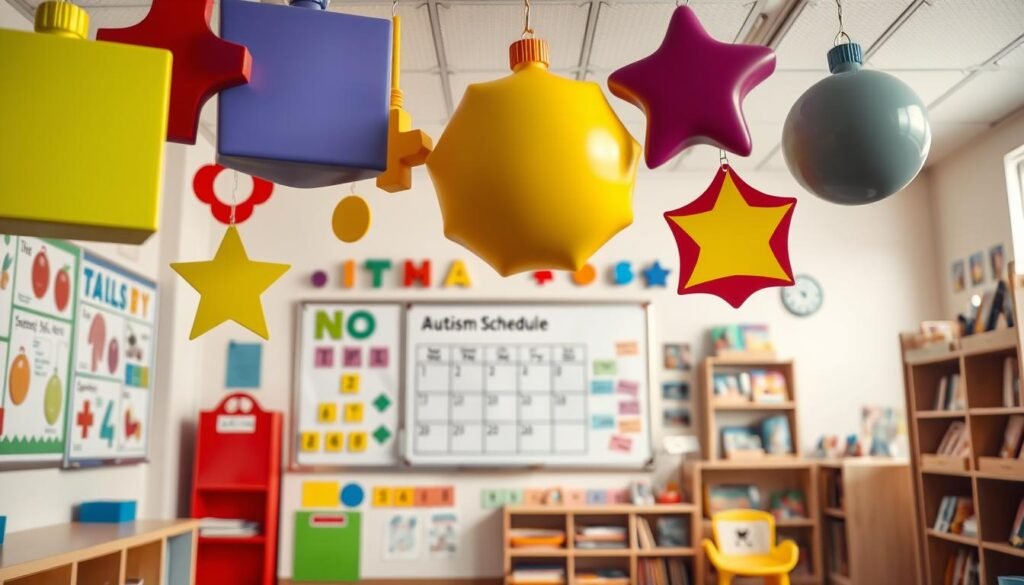
Today’s classrooms use visual tools for autism through smart design and placement. Schedules on walls near desks help students stay on track all day. Color schemes help tell apart subjects, activities, and when to move on.
- Subject dividers with pictorial representations
- Activity choice boards displaying available options
- Behavior expectation charts with visual cues
- Transition timers showing remaining minutes
Adapting Schedules for Different Learning Styles
Every student sees pictures differently. Visual tools for autism must be flexible to meet these needs. Some like real photos, while others prefer simple icons or drawings.
“Visual supports are not one-size-fits-all solutions. They require thoughtful customization based on individual student needs and preferences.” – Dr. Temple Grandin
Teachers make schedules work by thinking about sensory preferences, cognitive abilities, and communication levels. Digital tools let them change things quickly, while laminated cards offer a hands-on experience. The goal is to watch how students react and tweak the visuals as needed.
Structured Visual Planning for Autism Spectrum
Structured visual planning for autism creates a detailed plan that combines many organizational tools. It uses visual aids in a way that helps daily life and lowers stress.
Visual timetables are at the heart of this planning. They turn complex time concepts into easy-to-understand pictures. A good timetable shows activities with clear images or symbols in order. Each picture or symbol stands for a task or event in the day.
The beauty of structured visual planning is its simplicity. Simple images work better than busy displays. When making timetables, give each activity its own space. This keeps things clear and avoids confusion.
Today’s technology makes planning even better with timers and apps for autism. Digital timers show time passing in a visual way. Apps like First Then Visual Schedule and Choiceworks let families make timetables that fit their needs.
Getting it right means paying attention to what each person likes. Some like real photos, while others prefer simple drawings. The goal is to keep things consistent but clear and easy to spot.
Social Stories with Visuals
Visual elements make social stories powerful tools for kids on the autism spectrum. These stories combine text with images to teach social skills and explain expectations. They help kids understand and remember complex social situations by breaking them down into simple steps.
Creating Meaningful Social Narratives
Creating effective social stories takes careful planning. Each story should focus on one specific situation or skill. It uses simple language and images that match the text.
The story includes sentences about what happens, how others might feel, and what to do. This helps kids understand and respond to social situations.
Incorporating Images into Social Stories
Images play a key role in making social stories easy to understand and fun. Photos, drawings, or symbols should match the text they accompany. Using the same visual style throughout helps kids follow the story better.
Real photos are great for concrete situations, while simple illustrations work better for abstract concepts.
Using Visual Sequences for Social Skills
Picture schedules are excellent for teaching kids with autism about social interactions. They show the steps of social situations from start to finish. This makes complex social rules easy to remember.
Each image in the sequence represents one action or concept. This builds up to the complete social skill.
Digital Tools and Apps for Visual Support
Technology has changed how we make and use autism visual supports. Digital tools offer features that paper methods can’t. They let us change things quickly, update them fast, and add fun multimedia.
Apps like Choiceworks and First Then Visual Schedule have special templates for autism. These tools include:
- Customizable picture cards with real photos or symbols
- Voice recording features for verbal prompts
- Reward systems to encourage task completion
- Cloud backup for accessing schedules across devices
Timers and apps for autism do more than just count down. Time Timer shows time with color discs that get smaller. It helps people understand time without needing to read numbers.
When picking autism visual supports software, look for these key features:
| Feature | Benefit | Example Apps |
|---|---|---|
| Large, Clear Fonts | Easy to see from far away | Proloquo2Go, TouchChat |
| White Space Design | Lessens visual overload | Scene Speak, Visual Schedule Planner |
| Transition Alerts | Helps get ready for changes | Autism Timer, Countdown Timer Plus |
Tools like Google Slides and Keynote help teachers and parents make interactive schedules. They support timers and apps and are easy to use. You can change schedules fast, which helps with unexpected changes and reduces anxiety.
Visual Timetables ASD: Implementation Strategies
Creating effective visual timetables for ASD needs careful planning. These tools help those on the autism spectrum by giving them a clear structure for the day. By using systematic ways to make timetables, families and teachers can help people become more independent and less anxious.
Morning and Evening Routine Structures
Morning routines need clear visual sequences to help break down tasks. Start with simple things like brushing teeth, getting dressed, and eating breakfast. Each step should have its own image or symbol that matches the action.
Evening routines also use these clear steps but focus on calming activities. This includes homework, bath time, and getting ready for bed.
Transition Planning with Visual Aids
Transitions can be hard for people with autism. Visual aids help by giving advance notice and clear expectations. Use countdown timers and visual schedules to show when activities will end.
Make transition cards that show the current activity and what’s next. This gives people time to get ready for the change.
Customizing Timetables for Individual Needs
Everyone with autism is different. Some like photos, while others prefer simple drawings or symbols. Think about their sensory likes when picking colors and layouts.
Autism daily routine charts should match how each person communicates. This can range from basic picture cards to detailed written schedules. It’s important to check these tools often to make sure they’re working well as skills grow.
Teaching Independence Through Visuals
Visual supports make daily tasks easier for those with autism spectrum disorder. They create a clear path to independence. Visual cues help guide without confusing words, letting people learn at their own speed.
Self-Care Visual Guides
Visual guides make self-care routines simple. Picture schedules and charts show how to do things like brush teeth. They list steps like getting the toothbrush, applying toothpaste, and rinsing.
Task Analysis with Picture Support
Visual task analysis breaks down big tasks into smaller steps. Making a sandwich is a good example. It involves getting ingredients, opening containers, and cleaning up.
- Gathering ingredients from specific locations
- Opening containers in correct order
- Assembling components systematically
- Cleaning up afterward
Each step is shown clearly, helping build confidence with practice.
Building Confidence with Visual Prompts
Success boosts confidence with visual support. Visual aids help people learn step by step. As they get better, they need less help, but they keep getting support.
This way, they feel proud of their small wins. It helps them feel more confident in doing everyday tasks.
Autism Visual Organization Tools for Home
Using autism visual organization tools at home makes daily life easier. Families find success with structured visual systems in their homes. These tools help make home a place of learning, not just a place to live.
Start organizing your home by placing visual aids in key spots. In the kitchen, post meal prep guides where they’re easy to see. Bedrooms use morning routine charts near dressers. Bathrooms have hygiene sequences by mirrors. Each room becomes a chance to learn with the right tools.
Picture schedules for special needs should fit your family’s life. Laminated cards and digital photo frames are great for this. They let kids move through the day easily. Velcro strips make it simple to change things up as routines change.
| Room | Visual Tool Type | Common Applications |
|---|---|---|
| Kitchen | Recipe Cards | Snack preparation, table setting |
| Bedroom | Clothing Charts | Dressing sequences, bedtime routines |
| Bathroom | Hygiene Guides | Teeth brushing, hand washing |
| Living Room | Activity Boards | Toy cleanup, screen time limits |
Keeping things consistent is key when using visual systems at home and school. Using the same symbols and colors helps kids learn better. Regular family meetings help update visual aids as kids grow and learn new things.
Creating Effective Visual Supports
Creating autism visual supports needs careful thought and knowing how people see things. These supports help kids feel more confident and independent. They make daily tasks easier. The process includes picking the right pictures, following design rules, and keeping everything the same.
Choosing Appropriate Images and Symbols
Choosing images for autistic kids starts with knowing what they need and like. Use real photos for things like daily activities or specific locations. For abstract ideas or feelings, line drawings and symbols work best. Think about the child’s age, culture, interests, and what they find familiar when picking visuals.
- Age appropriateness and developmental level
- Cultural relevance to the child’s background
- Personal interests and familiar objects
- Clear representation without unnecessary details
Design Principles for Maximum Clarity
Good visual aids follow certain design rules to help people understand better. Use strong contrast between text and background. Black text on white or yellow is best for reading. Keep things simple with one main idea per card or page. Make sure the most important parts get noticed first.
| Design Element | Recommended Practice | Purpose |
|---|---|---|
| Font Size | Minimum 18 point | Easy reading |
| Image Resolution | 300 DPI for print | Clear details |
| Border Width | 2-3 pixels | Define boundaries |
| Color Scheme | Maximum 3 colors | Reduce distraction |
Ensuring Consistency Across Visual Materials
Keeping visual supports the same helps kids learn faster and feel more secure. Use the same symbol for the same thing everywhere. For example, a toothbrush image should look the same at home and school. This makes kids more familiar and confident.
Make a visual library with all symbols and what they mean. Share it with teachers, therapists, and family. This way, everyone uses the same visual cues for autistic kids.
Visual Planning Tools for Autism Spectrum Disorder
Being organized is more than just daily tasks. It’s about having systems for the week and month too. Visual planning tools help people with autism spectrum disorder stay on track. They make it easier to get ready for things to come and handle changes smoothly.
Weekly and Monthly Planning Systems
Visual systems based on calendars show what’s coming up. They use colors, pictures, and patterns to stay clear. Weekly planners might have:
- Seven-day grids with icons for each activity
- Color-coded sections for different events
- Picture cards that can be moved
- Space for special days and appointments
Monthly calendars give a bigger view but stay simple. Each day has key info shown with symbols or small pictures. This helps people see changes in their routine ahead of time.
Integrating Timers and Visual Countdowns
Understanding time gets easier with visual tools. Timers and apps for autism make time clear and easy to see. Some popular ones are:
- Time Timer shows time as a disappearing red disk
- Digital countdown apps with customizable alerts
- Sand timers for tracking time without tech
- Visual schedule apps with countdown features
These tools help people grasp time better. They prepare for changes and work on managing time on their own. The choice depends on what each person likes best, whether it’s a physical timer or a digital app.
Implementing Visual Aids in Different Settings
Visual supports make places more accessible for people with autism. Each place has its own needs and challenges. It’s important to use the right visual tools in each setting and keep them consistent.
Schools use detailed visual systems. Classrooms have schedules, rules, and learning materials on walls. Teachers use pecs autism boards near activities for quick communication. Students take portable supports to other classes, helping them all day.
In public places, visual aids need to be subtle but effective. Places like grocery stores and doctor’s offices can be overwhelming. Families use tablets or binders with visual schedules for quick help. Small cards in pockets offer support without drawing attention.
At home, visual aids help with daily tasks. Kitchens have guides for cooking, and bathrooms show how to stay clean. Bedrooms use timers and charts for morning routines. These tools help with daily tasks and reduce stress.
It’s key to train everyone who helps. Parents, teachers, and therapists learn how to use visual aids well. Regular meetings help everyone know what works best in each place, making support more effective everywhere.
Measuring Success with Visual Support Systems
Checking if visual schedules help kids with autism needs careful watching and recording. Families and teachers must find ways to see if these tools really help kids learn and grow on their own. By regularly checking how well these tools work, we can find out what works best for each child. We also make sure the tools stay challenging as kids get better.
Tracking Progress and Adaptation
Keeping an eye on how well visual support systems work means tracking certain behaviors and skills over time. Parents and teachers can see how independent a child is by noting how often they do things without being told. They also watch for when kids start talking more on their own and get upset less when things change.
- Time needed to complete daily routines
- Number of verbal or physical prompts required
- Frequency of anxiety-related behaviors
- Spontaneous use of visual supports
Adjusting Visual Aids Based on Response
Visual supports need to change as kids learn new things. If a child gets good at a morning routine, it might get longer. If some pictures confuse them, we might use clearer pictures or real-life photos instead.
Celebrating Milestones and Independence
It’s important to celebrate when kids reach new levels of independence. Small parties when they follow their schedules on their own can really boost their confidence. Celebrations might include fun activities, sharing with family, or special certificates for new skills.
Conclusion
Visual schedules for autism have changed how people with autism live and grow. They offer a clear plan and regular routines. This helps reduce stress and makes it easier to finish tasks.
There are many types of visual aids, from simple pictures to digital apps. They fit different needs and ages. This makes them very helpful.
Creating a good visual schedule takes knowing what each person likes and learns best. Everyone is different, so it’s important to make it just right for them. It’s also key to keep changing it as they grow and face new challenges.
Places like Toastmasters and the University of Waterloo’s Centre for Teaching Excellence help a lot. They share ideas based on research. This helps families and teachers make better visual aids for learning and talking.
The future of using visual schedules for autism looks bright. With new technology and more understanding, these tools will help even more. They will keep helping people with autism to be more independent and happy.
FAQ
What percentage of information do people retain when using visual aids combined with oral presentations?
Studies by Lockard & Sidowski (1961) found that people remember 65% of information when visuals and words are used together. This is much more than the 10% from words alone or 35% from visuals alone. Visual aids are very helpful for those with autism, as they process visual information better than sounds.
How many items should appear on a visual schedule or slide for optimal effectiveness?
Visual schedules should have no more than five items per slide. This keeps things simple and avoids overwhelming the viewer. It helps those with autism understand daily routines and expectations without feeling overwhelmed.
What are the best platforms for finding copyright-compliant images for autism visual supports?
Good places to find images for visual aids include Unsplash, Pexels, Freerange, Pixabay, and PikWizard. These sites offer high-quality images that are legal to use. They meet the 300 dpi requirement for clear visuals and are safe to use in educational materials for autism.
Should visual aids for autistic children use color or black and white designs?
The best visual aids use high contrast, like black text on white or white text on black. Colors can be used to highlight important parts, but the main focus should be on clear contrast. This makes it easier for those with autism to see and understand the visuals.
How should educators position themselves when presenting visual aids to students with autism?
Educators should stand to the side of the visual aid, usually on the left, and keep eye contact with the audience. It’s important to introduce the visual aid first and point out key parts in complex images. Remove the visual aid after discussing it to keep focus on the speaker.
What resolution is required for high-quality visual supports in autism education?
Visual supports need to be at least 300 dpi for printed materials. This ensures they are clear and not blurry or grainy. High-quality images are key for effective communication and learning, like in PECS cards or detailed schedules.
Can digital tools replace physical visual schedules for children with autism?
Digital and physical visual schedules both have their benefits. The choice depends on what works best for each person. Digital tools like PowerPoint offer interactive features and easy updates. Physical formats, like poster boards, are always there and easy to use. Many use both to meet different needs.
How often should visual aids be evaluated and updated for individuals with autism?
Visual aids need regular checks to stay relevant and challenging. Progress should be tracked through observations and skill data. Adjustments should be made based on needs, skill growth, and environment. Celebrate milestones to keep a positive view of using visual aids.
What are the four essential elements required in educational tables used as visual aids?
Educational tables need a title, column headings, row headings, and field. These help organize information in a way that’s easy for those with autism to understand. Using colors can help highlight important data and make the table easier to follow.
How can visual prompts be faded while maintaining support for independence?
Visual prompts should be faded out as independence grows. Start with full support, then gradually reduce it while checking if tasks are done correctly. This helps build skills without losing support, making the transition to doing things on their own smoother.